
-
Navigate to the Campaigns page

-
Click Sent Campaigns
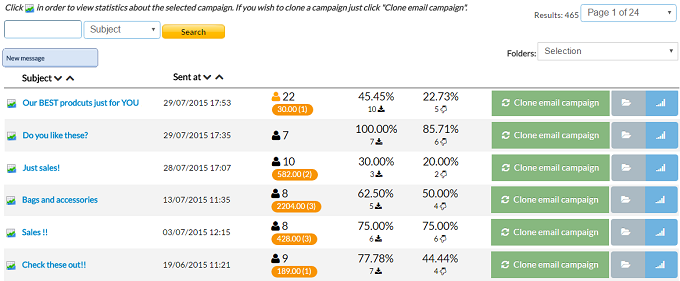
- You can see the result of the campaigns,clone a campaign,move a campaign into folder or open the full page statistics of each campaign
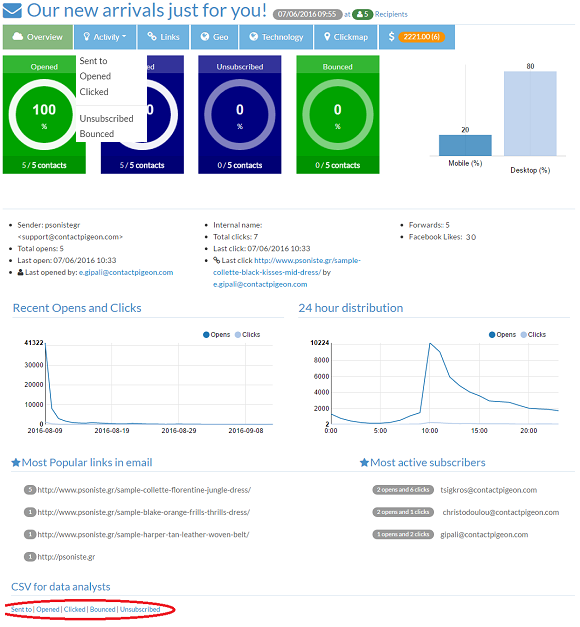
- Click on the campaign name or the statistics icon
 for the camaign statistics
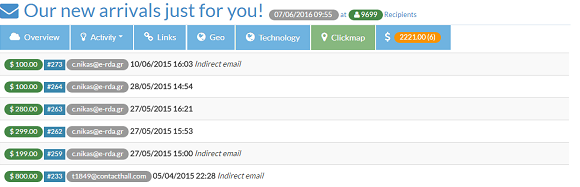
- Overview and export campaign results in CSV file at the bottom of the page
-
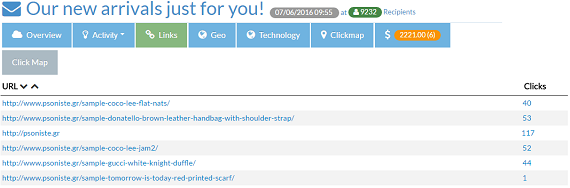
All the links coantained in the campaign
-
The Geolocation based on opens and clicks

-
The technology of the devices based on opens and clicks

-
The destribution of the clicks (Clickmap)

-
And the e-commerce page
Review campaign results Print
Modified on: Tue, 13 Sep, 2016 at 3:00 PM
Did you find it helpful? Yes No
Send feedbackSorry we couldn't be helpful. Help us improve this article with your feedback.