
-
Navigate to the Campaigns page

-
Click Pending Campaigns

-
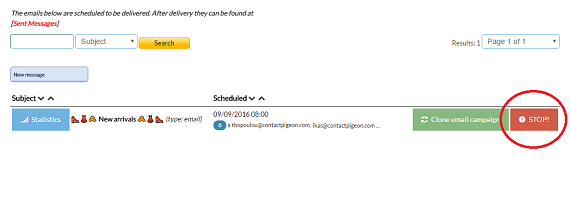
Stop the shceduled campaign by pressing the STOP button
-
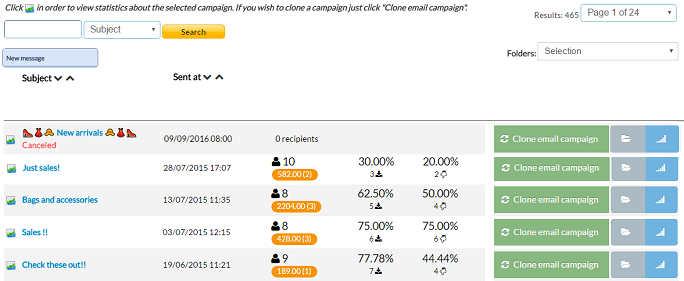
Now you can find the canceled campaign at the Sent Campaigns with the mark Canceled
Canceling a scheduled campaign Print
Modified on: Thu, 8 Sep, 2016 at 4:41 PM
Did you find it helpful? Yes No
Send feedbackSorry we couldn't be helpful. Help us improve this article with your feedback.