
Step 1:First you have to crete the abandoned cart code
- Navigate to the Ecommerce page

-
Click Product suggestions
-
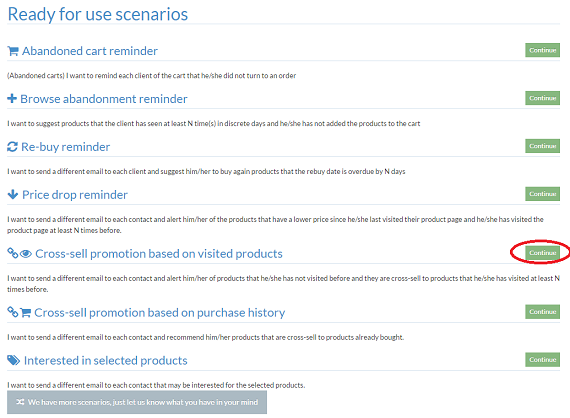
Select Abandoned cart reminder and click Continue
-
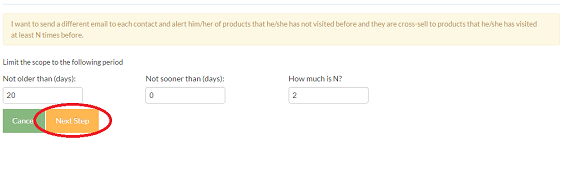
Limit the time period and the times of visit then click Next Step
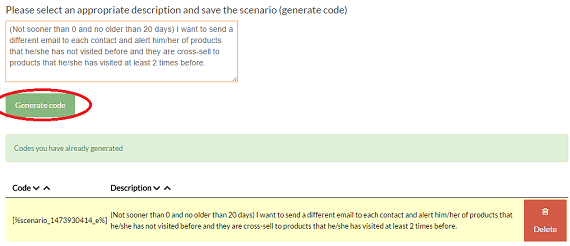
- You can type a new description and click Generate code. The scenario code will appear.
Step 2: Insert the code to the dynamic campaign
- Create a new campaign as you learned at "New campaign". At the second step "Content" insert your footer,header,text etc.
- Insert a Product Grid
1. Select how many columns and rows you want
2. Activate the scenario box
3. Select the scenario you want and click Next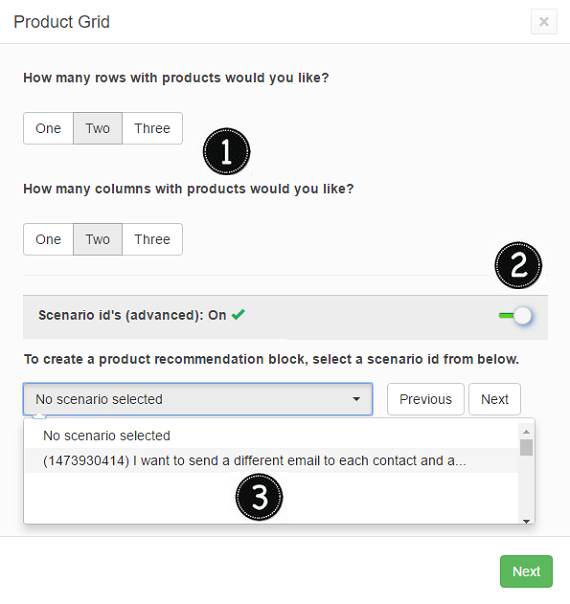
-
Set up the template appearance

-
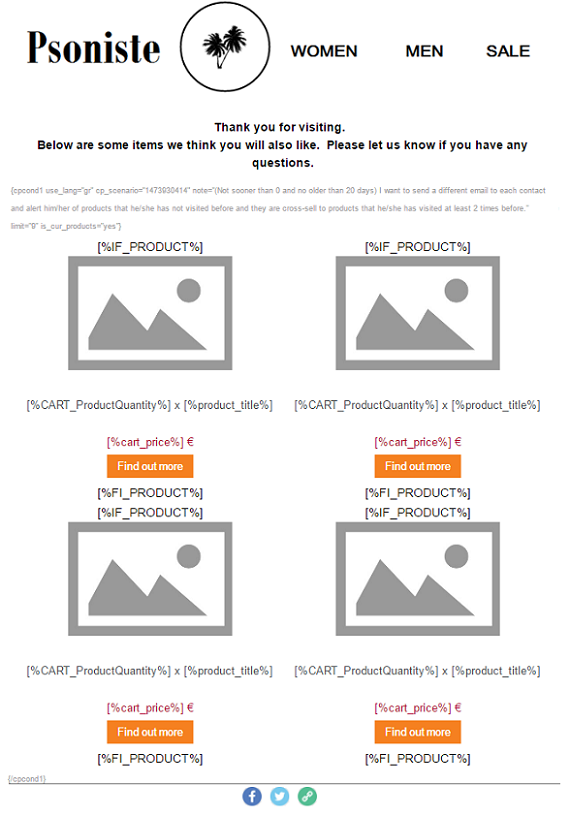
Now the table it is ready and looks like this.Save and continue the template. Send it to your own email.
- Navigate to the Automation page

-
Click New Automation
-
Create the automation
1.Type the name and the description of the automation
2. Add the Triger "Website On page" and select the product code (sku) is asterisk (*). The asterisk means that someone visited any product.
3. Add a Delay with the time of your choice
4. Add the Condition check "based on date" so to check if made an order the last day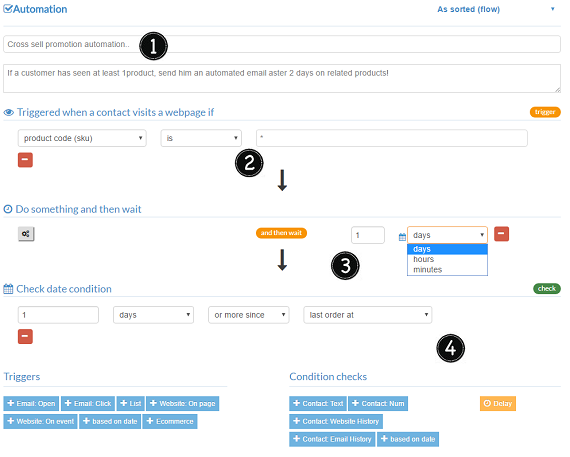
-
Selecet the Campaign you already sent to yourself
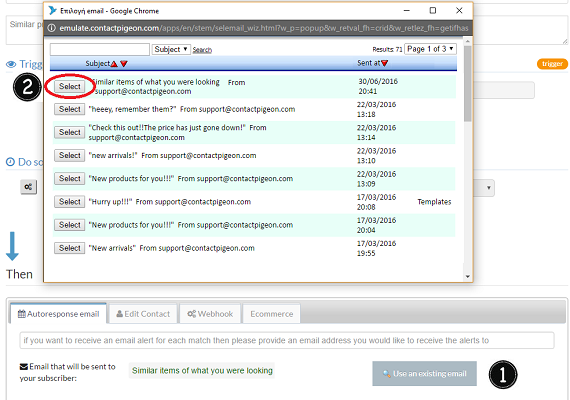
-
Click Save

-
Now click Activate and the automation runs